 Myna Recorder
Windows 10 and 11, 64-bit
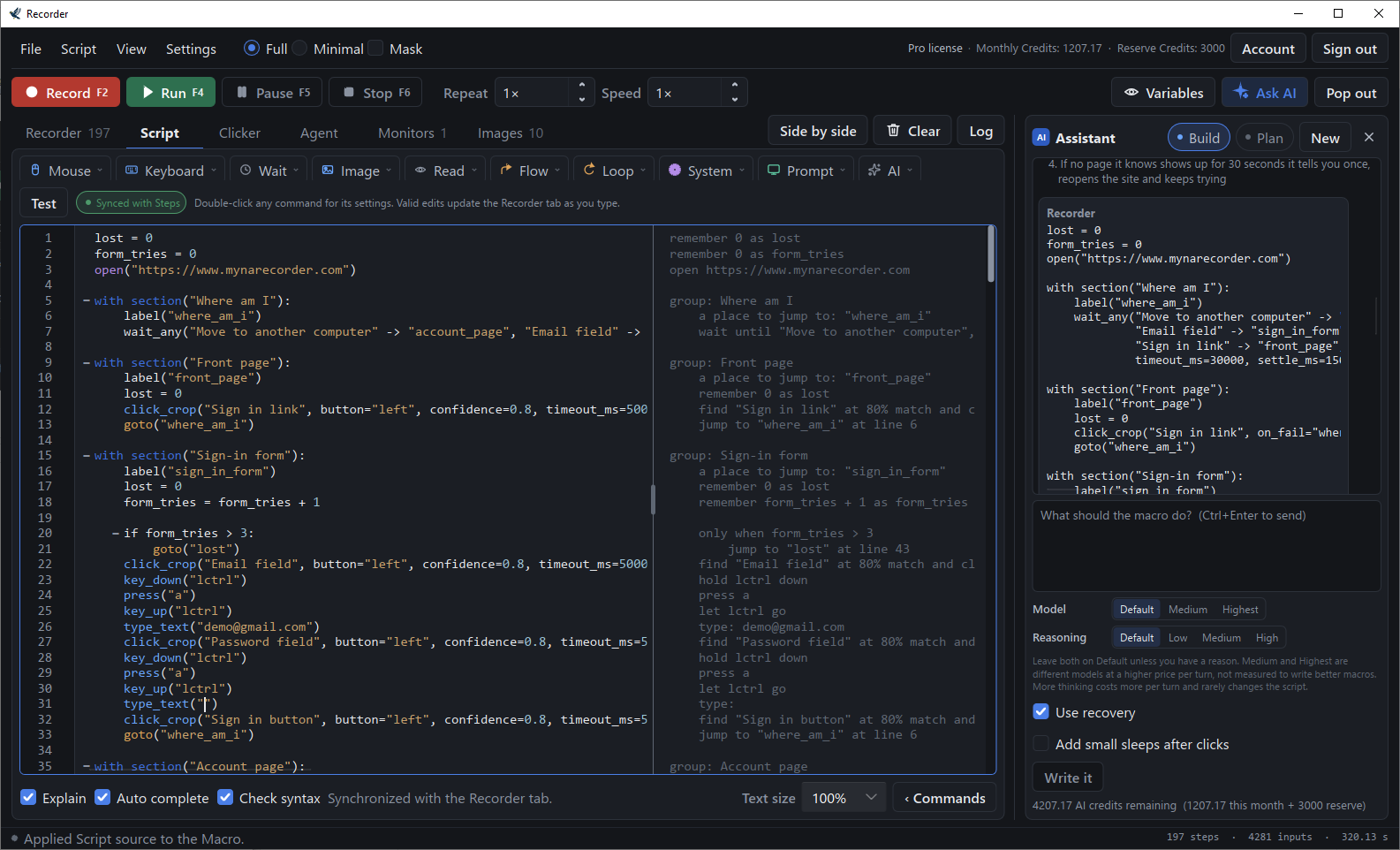
A Windows macro recorder you can read and edit
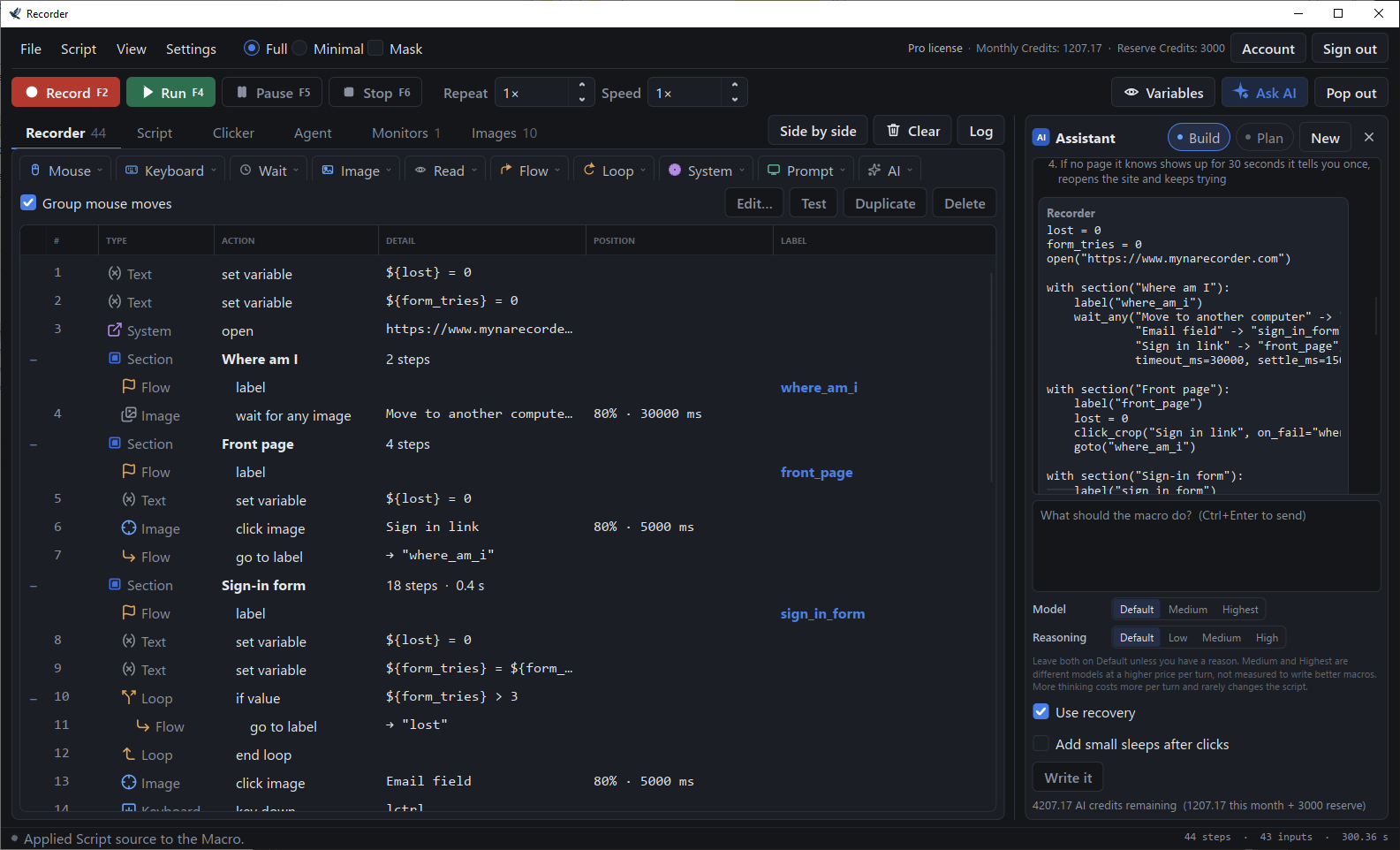
Record what you do, edit it as a readable script, and run it whenever you like. It finds things on screen by picture, so it keeps working when a window moves.
Free to use — recording, editing, replay, image anchors and the auto clicker cost nothing, ever. No card. Paid plans add the watchdog, Telegram and Discord alerts, export, the clicker's extras and the AI.
Launch offer — 50% off your first month. Applied automatically at checkout. See pricing.
What Myna Recorder does
Myna Recorder is a macro recorder for Windows 10 and 11 (64-bit). It records your keyboard and mouse and turns the recording into a script you can read and edit. A script can wait for a picture on screen, read text from it, and ask an AI what it sees. An AI assistant writes scripts from a description, and Agent mode carries out a typed goal on your desktop step by step (computer use). A screen watchdog can message you or stop a run, and a finished macro can be exported as a single .exe that runs on any Windows PC. An auto clicker clicks, or presses a key, at a rate you set: at the cursor, at a point, or through a sequence of points you record by clicking them. Recording, editing, replay, image anchors and the auto clicker are free with no time limit; paid plans, from $10/month, add the watchdog, export, the clicker's extras and the AI.
Record and replay
Keyboard and mouse, with the original timing, replayed at 0.25× to 10×. Edit the result as rows or as a script.
Image anchors and screen text
Wait for a picture on screen, or click it. Read text from a region into a variable and use it in any later step.
AI assistant
Describe the macro in plain English and get a script back. Nothing reaches your editor until you approve it.
Agent mode
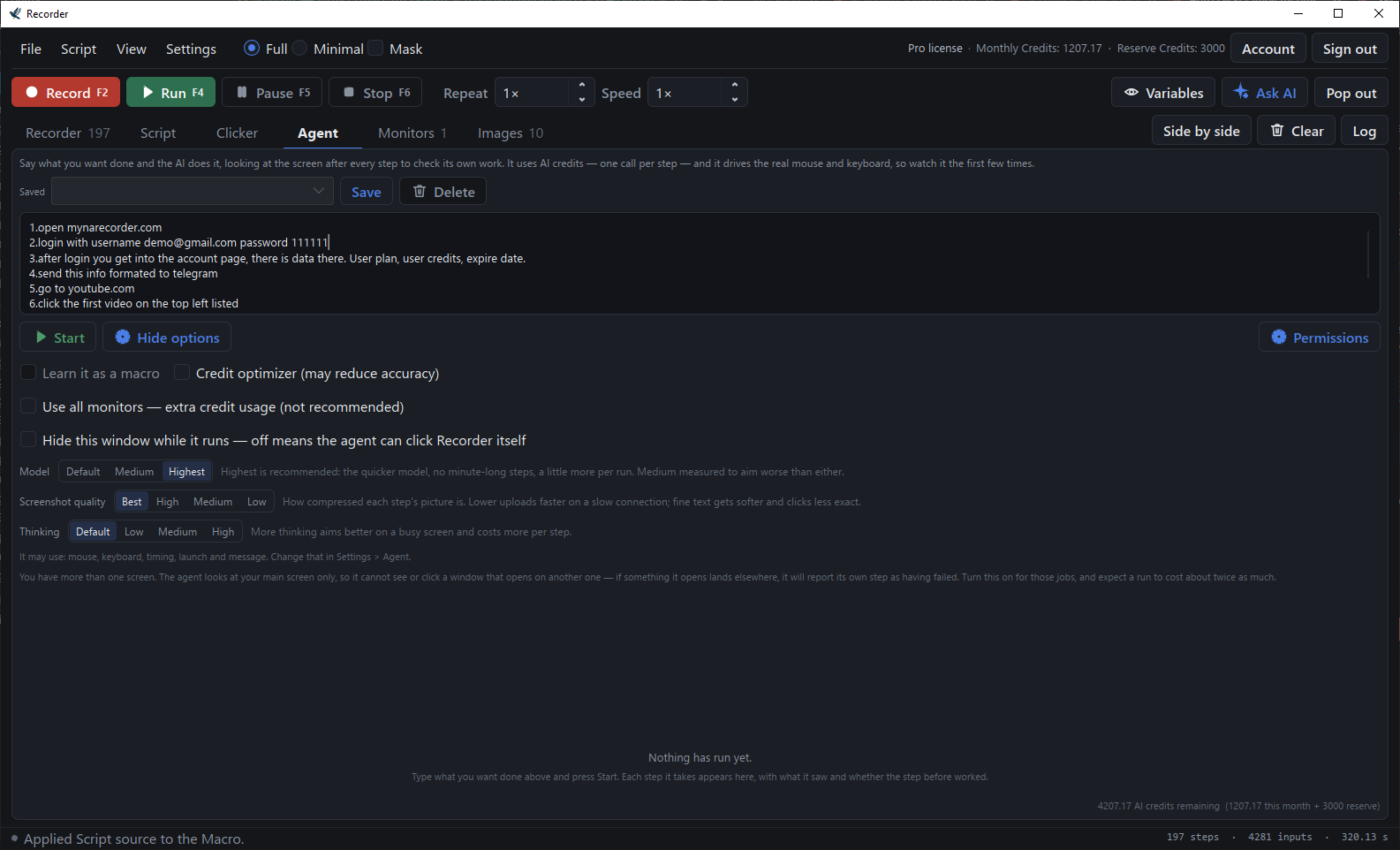
Type a goal. The agent looks at the screen, acts, checks its own work, and stops when the job is done. Computer use, on your own desktop — best at short jobs you could do yourself in a couple of minutes: open a page, fill in a form, click through a few screens. Your Stop key ends it at any time.
Screen watchdog
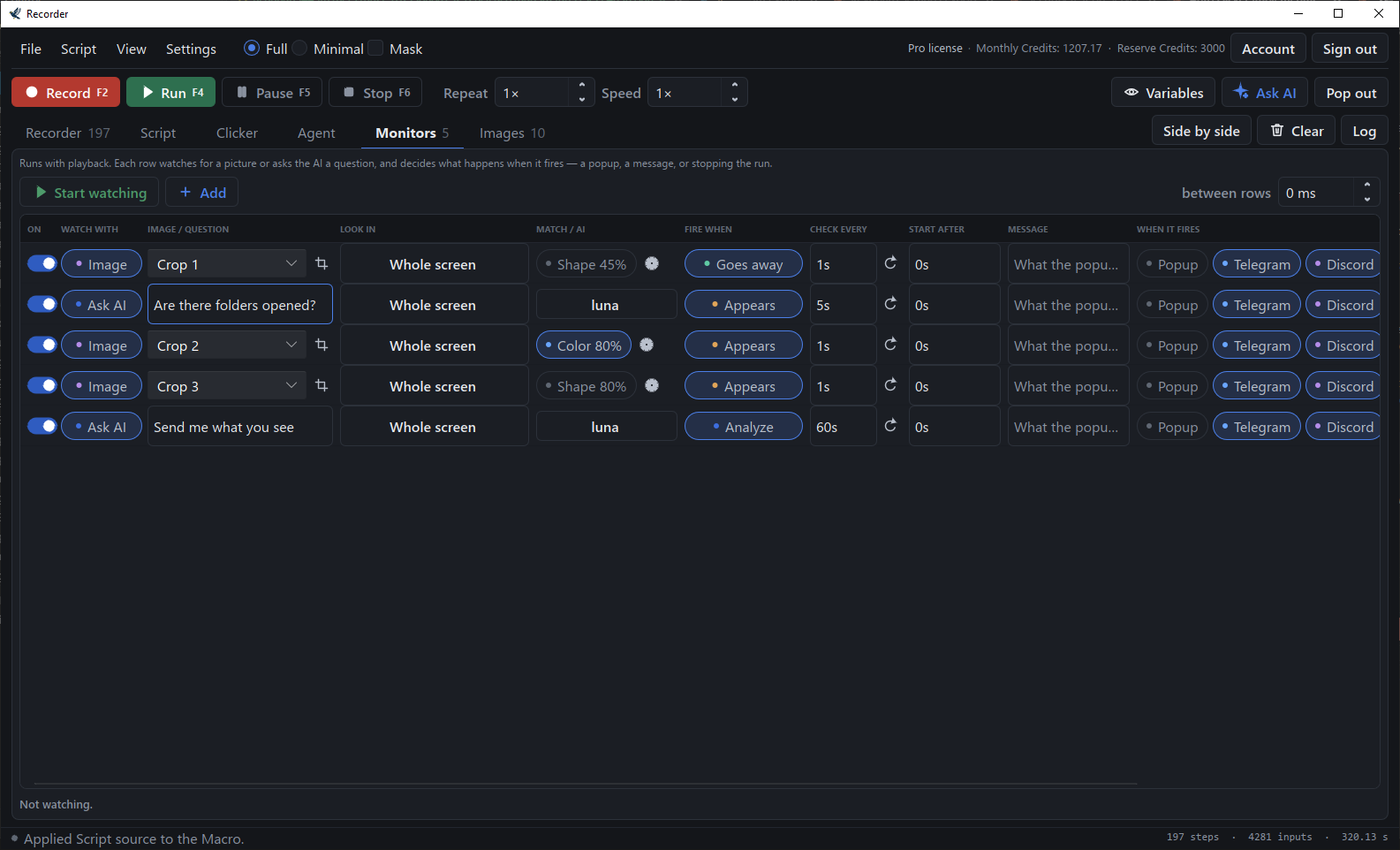
Monitors watch for a picture, or ask the AI a question, while a macro runs or on their own. They can pop up a message, notify Telegram or Discord, or stop the run. Telegram and Discord alerts are part of Basic and Pro.
Auto clicker
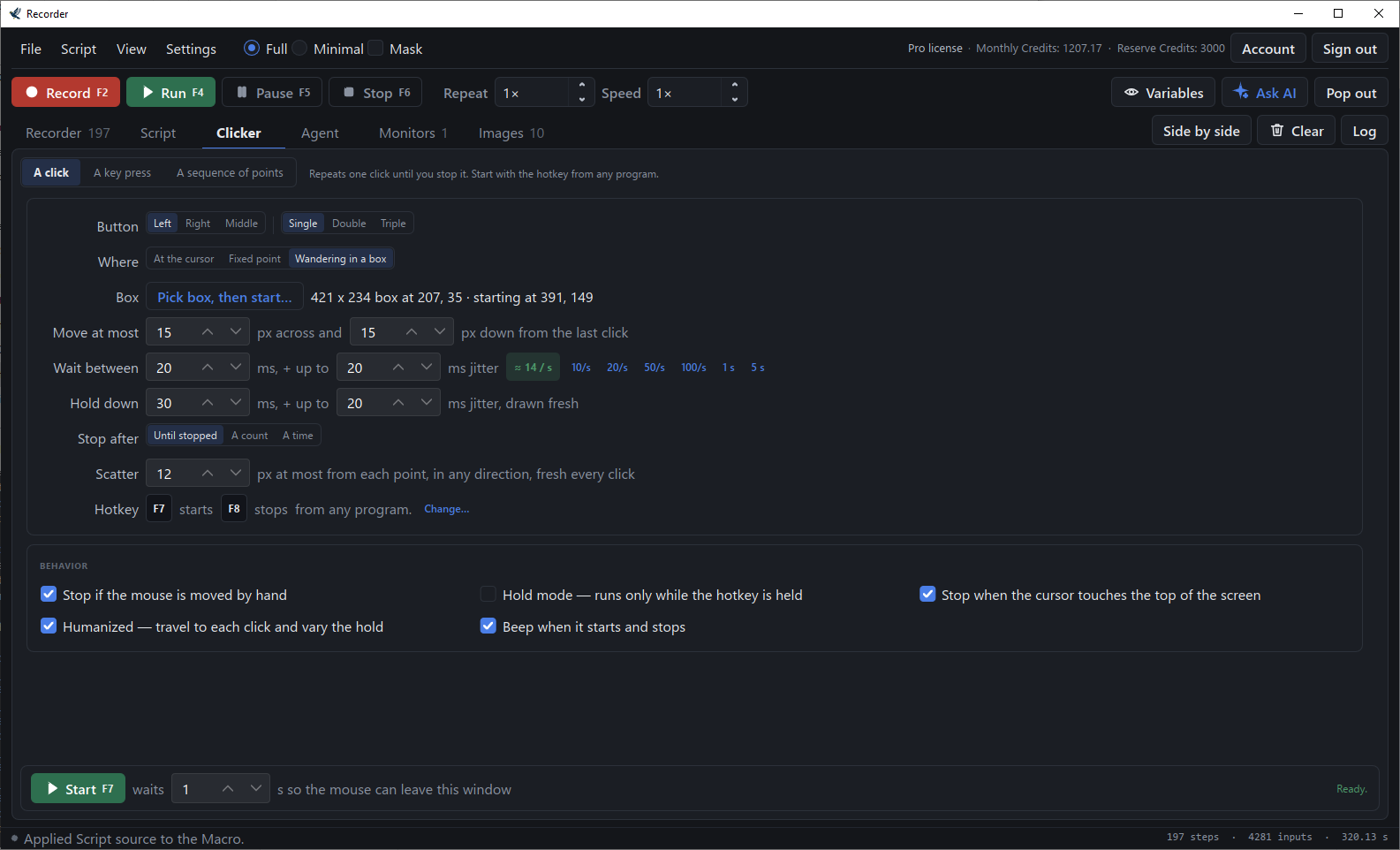
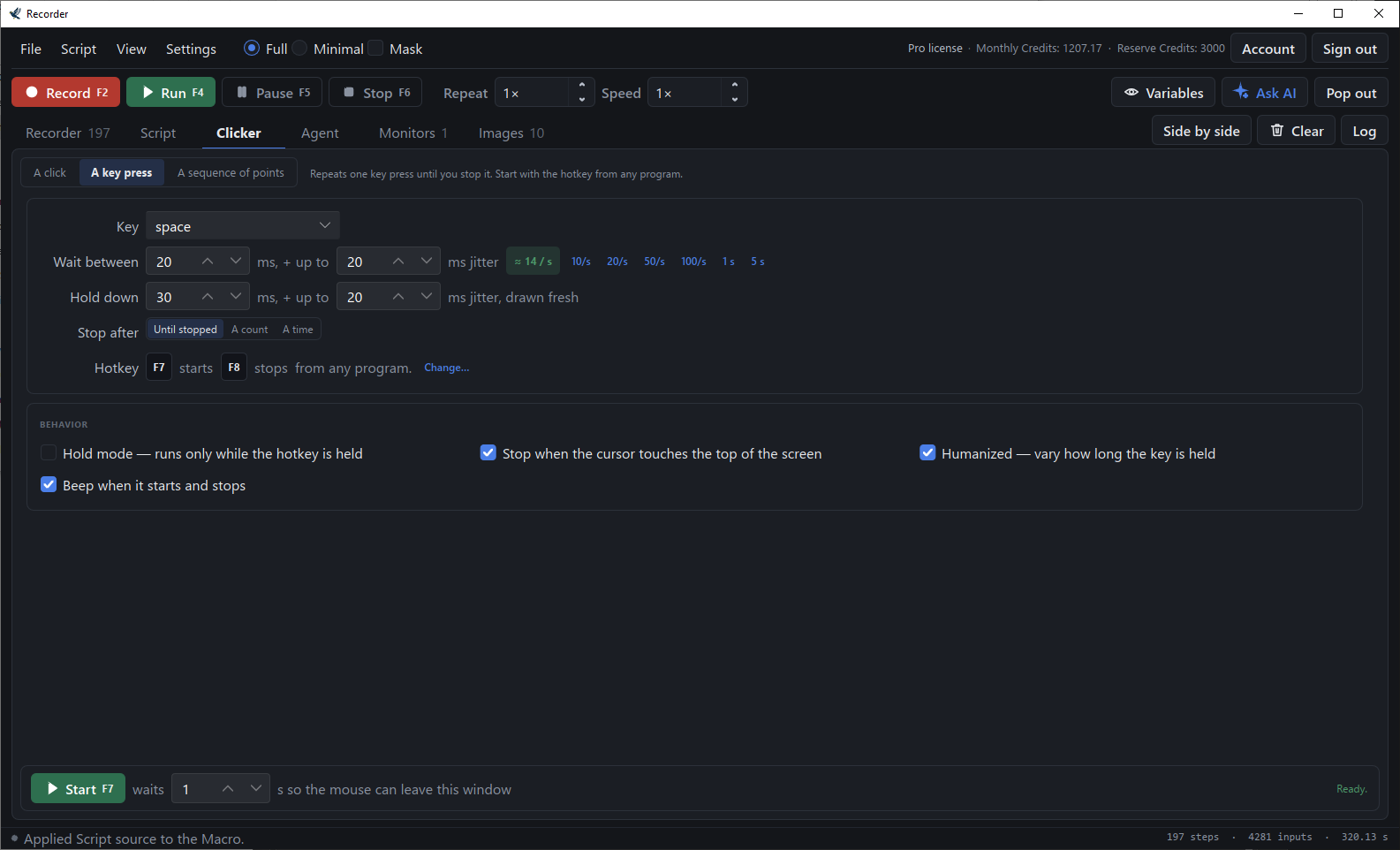
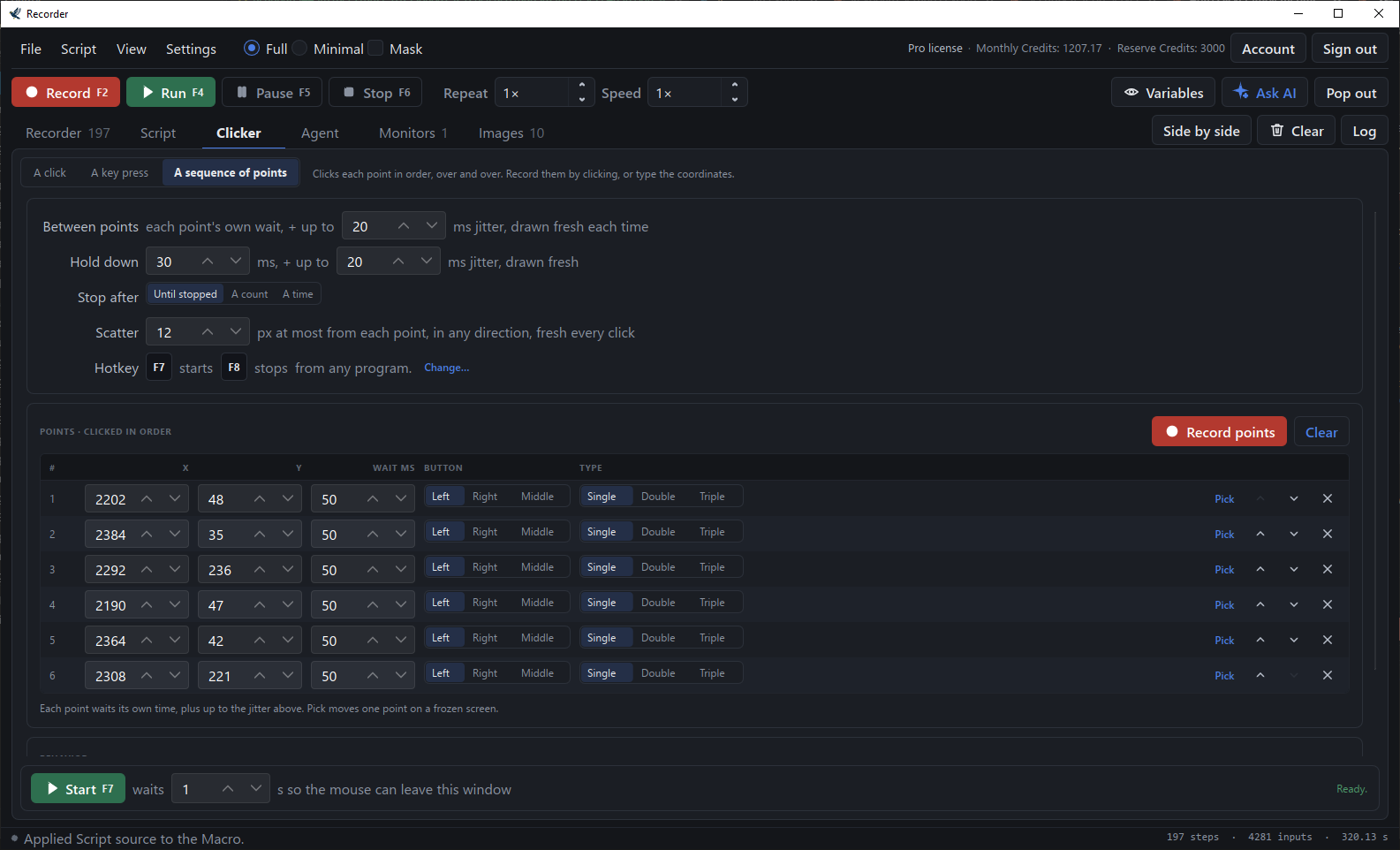
One click or one key, over and over, at the rate you set: at the cursor, at a point, or through a sequence of points you record by clicking them. Start and stop it from any program with F7 and F8. Humanized clicks, jitter, scatter and sequences are part of Basic and Pro.
Getting set up
-
Create an account and confirm your email
The account is active as soon as you confirm.
-
Sign in inside Recorder
Same email and password, once. The app stays signed in.
-
Record something, or describe it
Press record and do the task, or type what you want and let the assistant write it.
-
Run it
Replay it whenever you need, at the speed and repeat count you choose.
Two ways to read the screen
A macro that only clicks coordinates breaks the day a window moves. A Myna Recorder script can look first.
Read text from the screen — exact and free
Local OCR reads a region of the screen into a variable: an order number, a total, a filename. It runs on your machine and spends no credits.
Ask the AI — looks and decides
Sends a region of the screen to the AI with your question, and the macro branches on the answer. Uses credits.
Common questions
Is Myna Recorder free?
Yes, for everyday use. Recording, editing, replay, image anchors and the auto clicker are free with no time limit and no card. Basic ($10/month) adds the screen watchdog, Telegram and Discord alerts, export as a program and the clicker's humanized, jitter, scatter and sequence options; Pro ($15/month) adds the AI assistant, Agent mode and screen text reading. See pricing.
Can it export a macro as an .exe?
Yes. File → Export as Program writes a single .exe that runs the macro on any Windows PC, with the crops and the text reader built in. It is included on the Basic and Pro plans.
Does it work offline?
Recording, playback, image anchors and the local text readers run entirely on your computer. Only signing in and the AI features need a connection.
Guides
Convert a macro to an .exe
Turn a recording into one program that runs on any Windows PC with nothing installed.
Automate data entry without coding
Record one pass, anchor the clicks to pictures, read the values off the screen, repeat.
Read text from the screen
Screen OCR inside a macro: read a number or a status, then decide what to do with it.
What makes it different
Edit what you record, click on pictures, read the screen, get alerts, and export one .exe.
Free for everyday use
Recording, editing, replay, image anchors and the auto clicker are free for as long as you like, with no card. Paid plans add the screen watchdog, Telegram and Discord alerts, export, the clicker's extras and the AI — and every new account tries all of them for 7 days, with 100 credits.